MK WEBS Ludhiana

Yes it is Possible to send Bulk emails using Gmail email accounts everyday – as many mails as you want.

but here is the catch Gmail claims that it allows us to send 500 emails everyday but that is possible when we send emails one by one, ONE at a Time.

When we send emails in bulk using Gmail the Daily limit is restricted up to 100 emails every day, this means you have to wait for 24 hr for the next round of bulk email to send. Enough said lets jump deep inside to understand the process – how to send bulk emails from gmail for free?
1 make a copy of the Gmail-Sheets Mail Merge sample spreadsheet
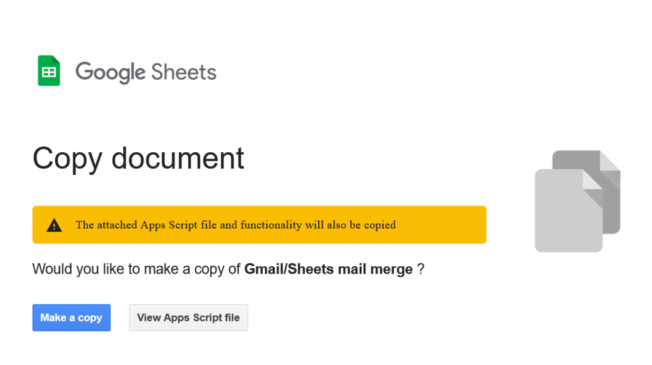
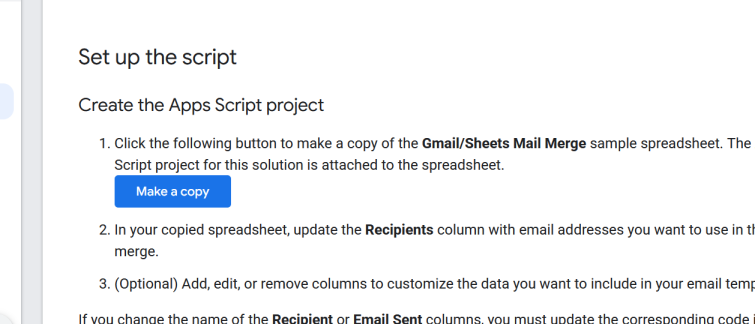
Step 1: make a copy of the Gmail/Sheets Mail Merge sample spreadsheet Click the link to go on to Gmail Workspace App Scrip Page and Click on to make a copy of the Script attach to Gmail/Sheets Mail Merge sample spreadsheet This is not a third party application, so there is no need to worry., just click o to the button and this will create a Spread Sheet copy for Gmail Mail Merge.
Gmail-Sheets-mail-merge-Make-a-copy

Step 2:
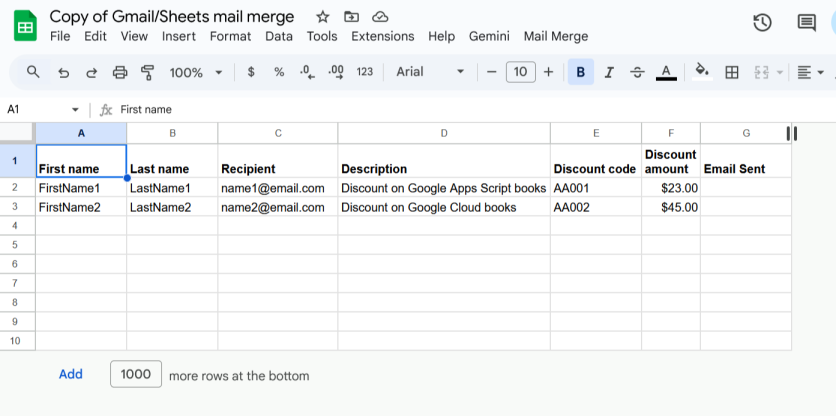
Step 1 will create a copy of the spreadsheet (Excel file) in your Google Drive account

Copy-of-Gmail-Sheets-mail-merge-Google-Sheets
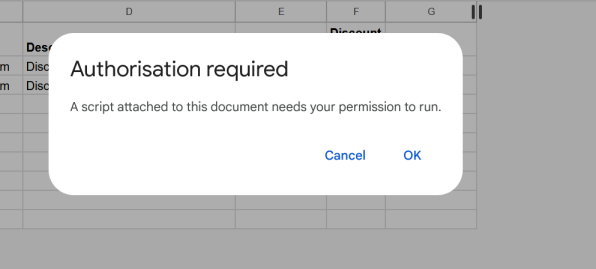
Step 3: This excel file opened in Google Excel will show you a new mail merge tab in the top bar, now click on to Mail Merge -> Send Emails , on Clicking Send emails tab for the first time it will ask you for the Authorisation required
script authorization required
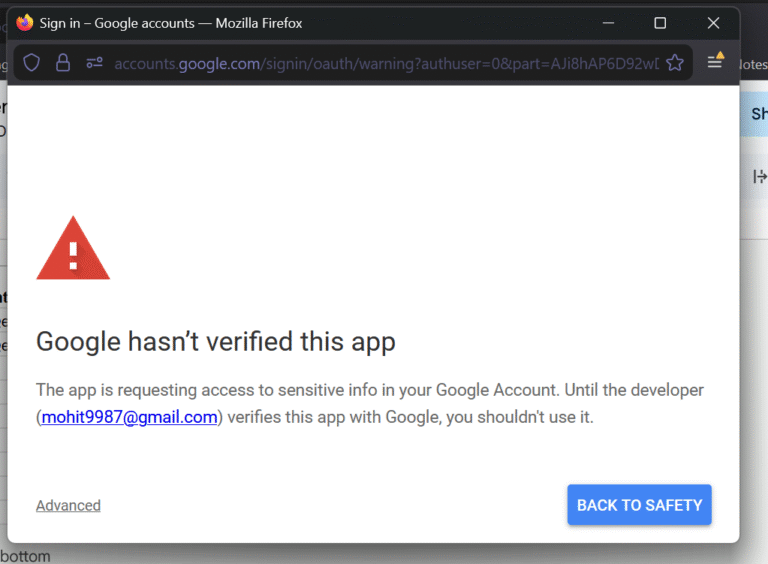
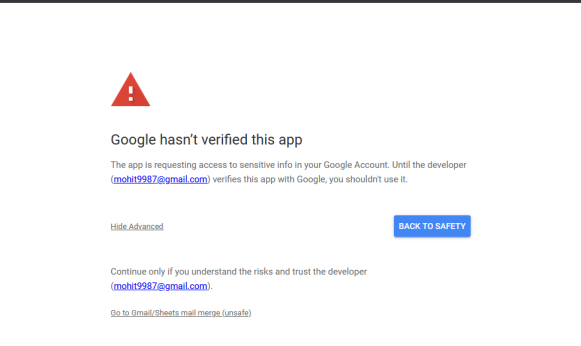
Click on OK and select your gmail ID you want to use for bulk email. then you will get below screen and click on advanced and allow the script to access your Gmail as show in below screen 1 and then screen 2
gmail authorization screen 2

Follow the above screen for Gmail to provide access to the Mail Merge script, click on Advanced and then “Go to Gmail/Sheets mail merge (unsafe)” continue and grant access.

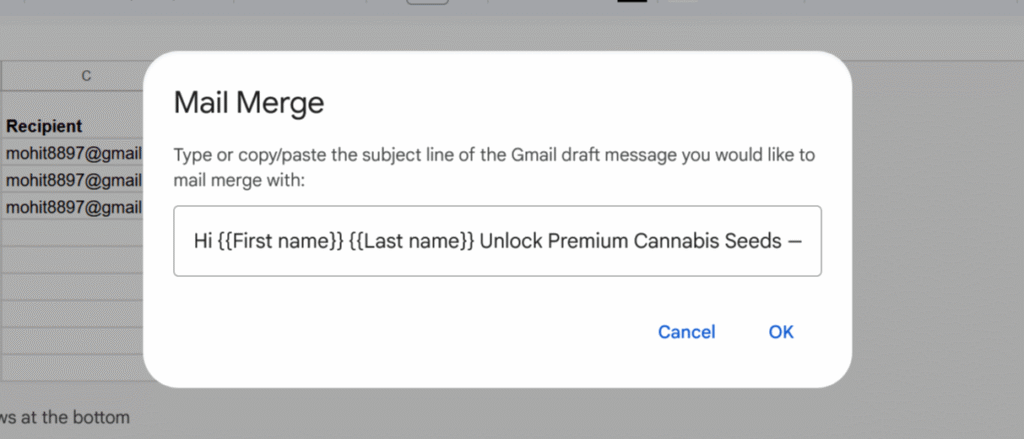
Once gmail access is granted, again click on mail merge tab and you will see below screen
Now you have to go to Gmail and Click on Compose to Compose a new Gmail as Draft

Leave a Reply

Your email address will not be published. Required fields are marked *